Blending Stations
Use Blending to calculate the optimal mix of different source products and make a specified product. This feature is designed to be as flexible as possible and allow use of multiple sources for the end product. There are three simple steps to blending: First define the number of material sources; next open the Blending Station and define the product to be made; finally open the Blending Calculator to perform or modify the calculation for that product.
To Install the Blending Station
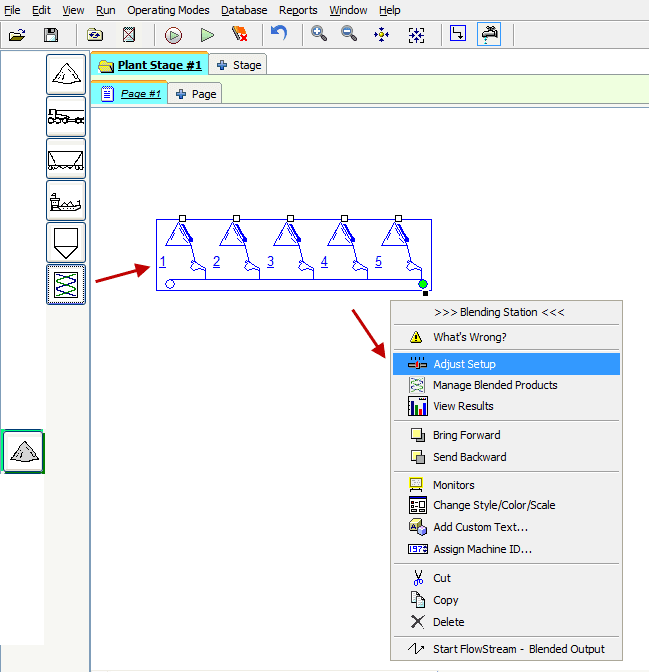
- Select the End Product category.
- Select the Blending Station and place it on the worksheet (it will turn blue).
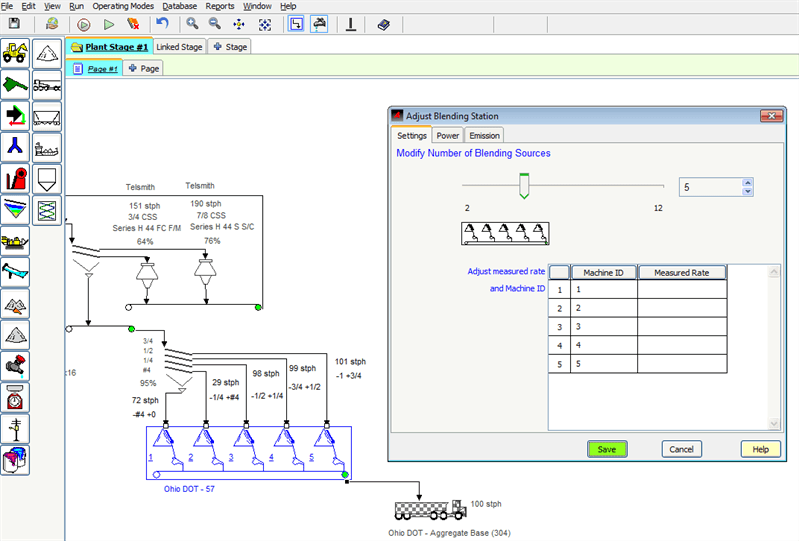
- Right-click and select Adjust Setup from the short-cut menu.
- Set the number of blending sources. 5 is the default number (2 minimum, 22 maximum).
- Track Power and Emission attributes as necessary.
- Once the number of product sources is determined, right-click the Blending Station icon and select Manage Blended Products to open it.
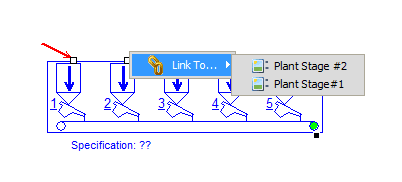
- Blenders can be linked to previous stages. To link the blender to a previous stage, right click with the pointer on the connection input to link, and select "Link To."
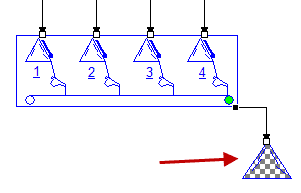
End Products resulting from blending operations are always indicated with a checkerboard pattern as shown here
Define the Product
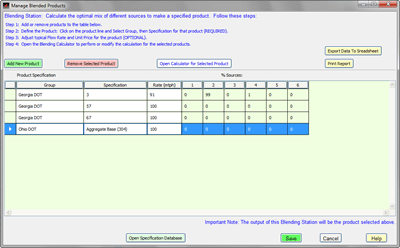
Use the Blending Station to define the specific product to be made. Then use the Blending Calculator to perform or modify the calculation.
- Open the Blending Station by right clicking and selecting
Manage Blended Products. - Add or Remove product lines as necessary.
- For each Product:
- Select the Specification Group.
- Select the specification.
- Adjust Flow Rate (optional).
- Select the product line and open the
Blending Calculatorto perform or modify the calculations.
Open the Specification Database to review the entire database or create and delete specifications as needed.
Blending Calculator
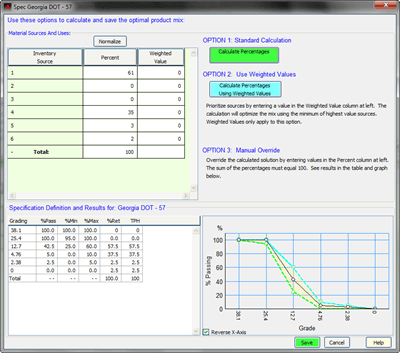
Use the Blending Calculator to calculate the optimal mix of different source products to make the specified product.
- Select a product line in the Blending Station and open the Blending Calculator (use the button or double-click on the product line).
- Choose from the various calculation options:
- OPTION 1: Standard Calculation
- OPTION 2: Weighted Value Calculation
- Prioritize sources by entering a value in the “Weighted Value” column. This calculation will optimize the product mix using the minimum of highest value sources. Weighted values only apply to this option and will be ignore in all other calculation methods.
- The higher the weighting the less of the product the Blender will use to meet the specification. Using 0 - 10 values will show how the blender can minimize the use of products that should be conserved.
- OPTION 3: Manual Override
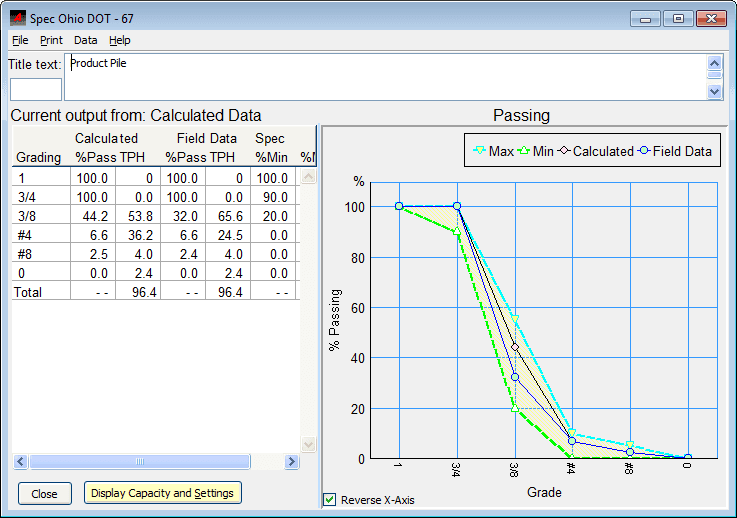
- Override the calculated solution by entering values in the percent column. The sum of the percentages entered must equal 100%. As adjustments are made the results are displayed in the table and graph.
- Normalize: Will take the entered values and adjust them so that the ratio is maintained and they total 100.
- Saving the blend will be used in the finished product pile after the blender, and the monitors can be used to show the specification and rate being met.