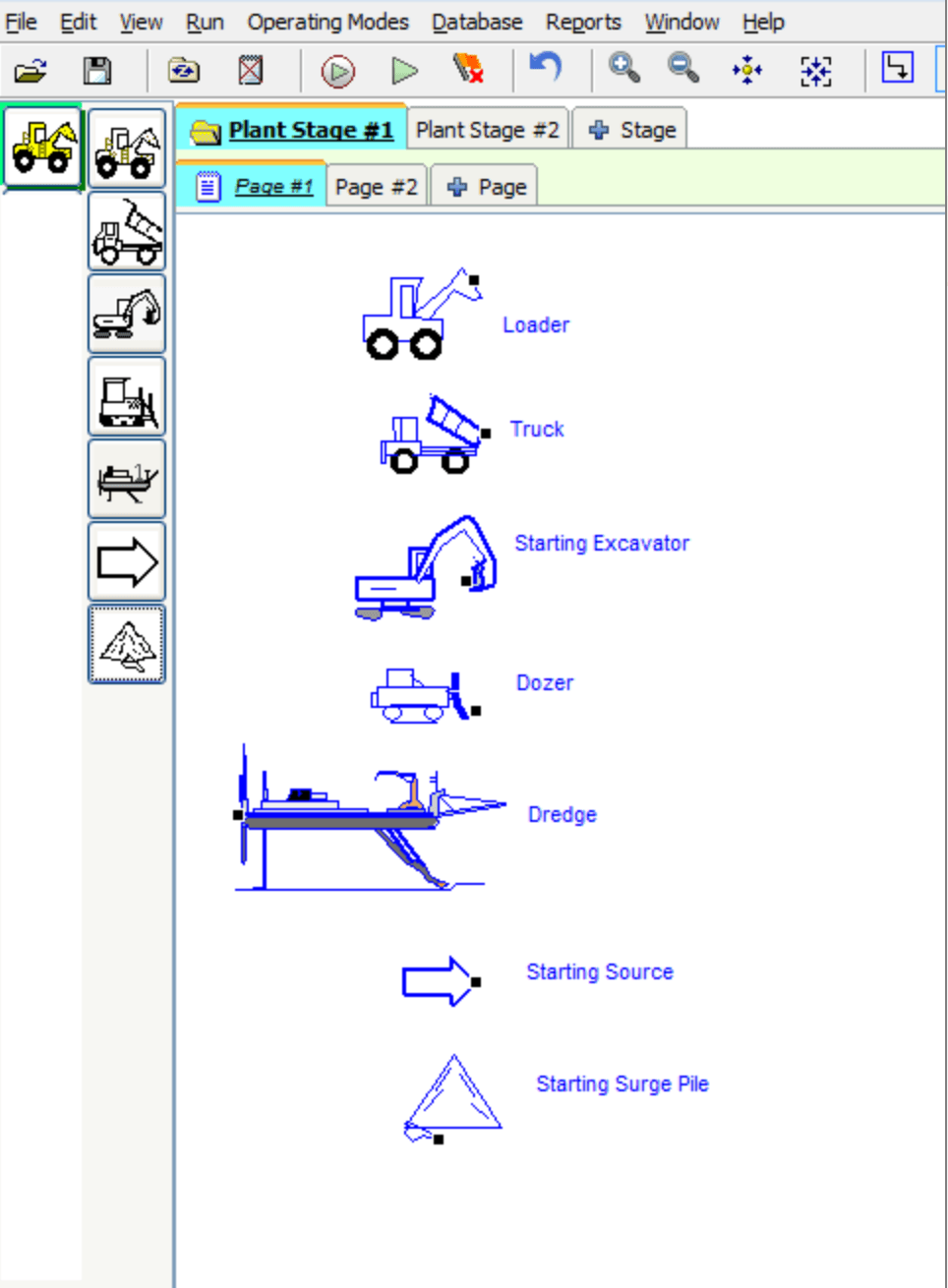
Start Points
Use Start Points to initiate material flow in the simulation and set the initial feed for the plant.
The initial feed is vital to the simulation calculations. If the initial feed is unrealistic the accuracy of corresponding calculations will be questionable.
To Install Start Points
-
Select the Start Point category.
-
Select a machine and place it on the worksheet (it will turn blue).
-
Right-click and select
Adjust Feed Streamfrom the short-cut menu. Then:- Select the source location for data.
- Select the Feed Type and Gradation.
- Adjust the Feed Rate.
-
Use the available tabs:
Add Waterto the initial feed.Store Data: Select where to store the data for the machine.Power: Track power use for the machine.Emission: Establish emission factors for the machine.
Adjusting Initial Feed Stream
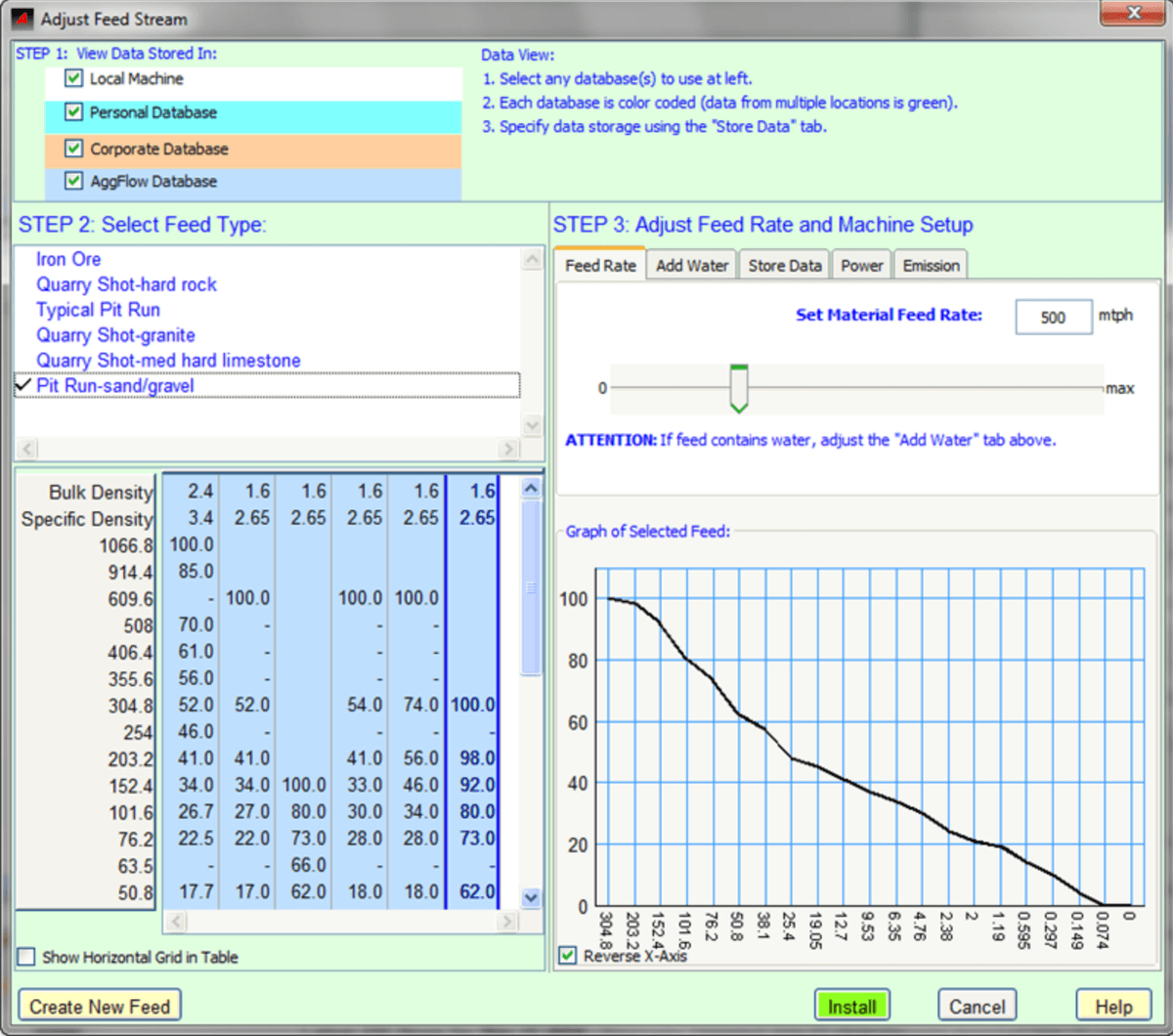
The initial Feed Stream is perhaps the most fundamental, and important, aspect of the AggFlow DM program. Because the Feed Stream determines the initial flow rate, gradation of material and relative material to water rate for the entire simulation. Accuracy at this step is critical.
- It is important to set both the material type and rate and, if applicable, the water in the material. Use the
Feed RateandAdd Watertabs to complete the settings. - Create new Feed Type/Gradations using the
Create New Feedbutton.
To Adjust Initial Feed
- Place a
Start Pointon the worksheet. - Right-click and select
Adjust Feed Stream. - Follow the Steps to install anInitial Feed.
- Select the databases to use, each database selected will display available and saved feed gradations
- Select the feed gradation by selecting a feed type and then selecting a gradation from the gradation columns
- Input a feed rate, and use the tabs to add water, power or set emissions.
- Customize the feed to be as accurate as possible using:
- Feed Type selections.
- Create New Feed as necessary.
- Adjust the material water rate using the
Add Watertab. - Set the Material Feed Rate.
Create a New Feed
Select the Create New Feed button from the Adjust Setup window, and define the following:
Name of the Feed
Identifier for future reference
Bulk Density
The density of the rock, including air voids.
Specific Density
The true density of the solid rock. It is defined as the ratio of the density of a substance to the density of a given reference material. See the glossary for complete definition.
Specific Gravity
A function of Specific Density. Specific Gravity is a dimensionless unit defined as the ratio of density of the material to the density of water at a specified temperature. See the glossary for complete definition.
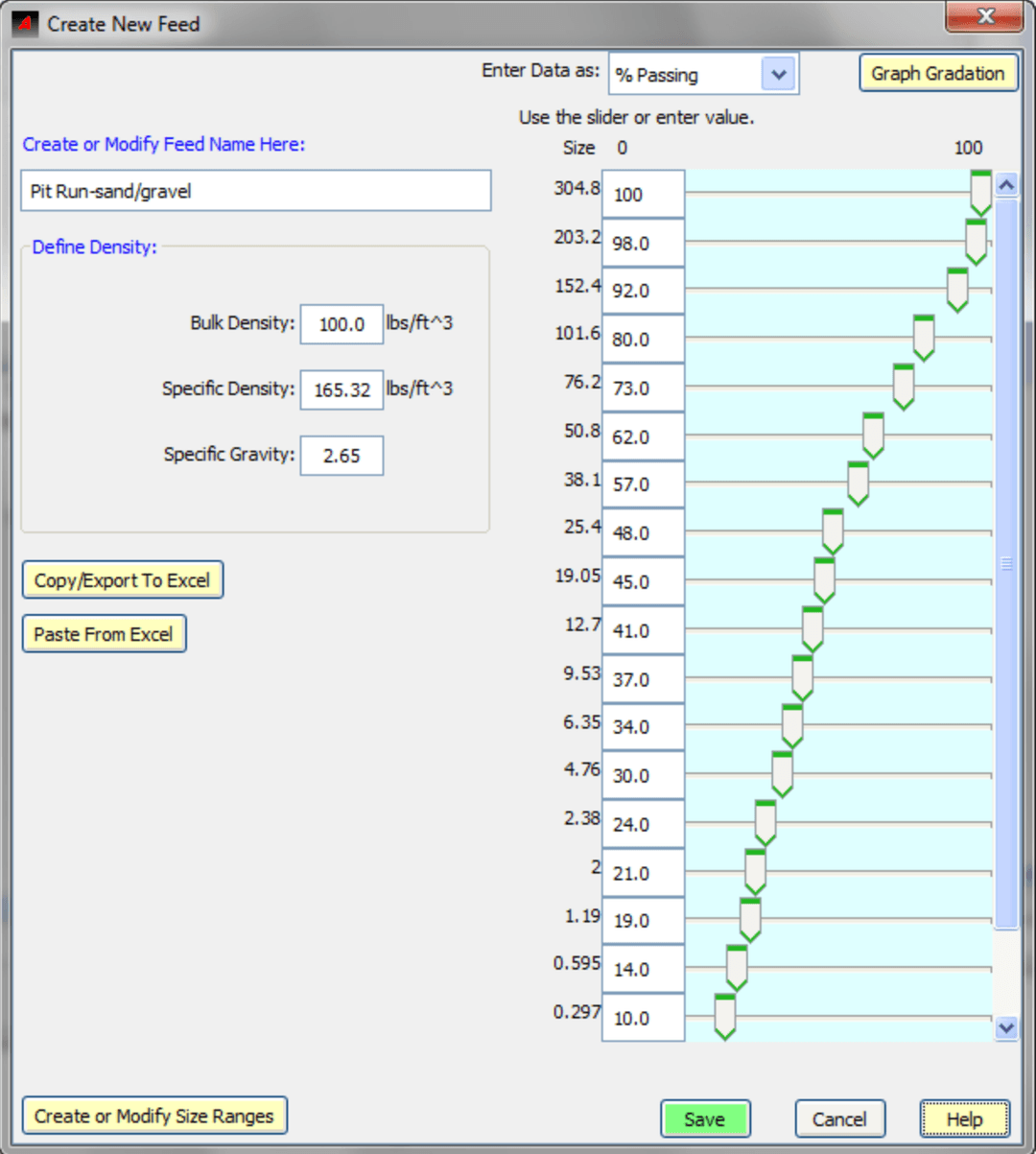
Adjust gradation sizes and percentages using the following options:
- Changing the shown gradation directly on the table by entering the value in the table or by moving the sliders.
Copy/Export to Excel- Will export the gradation to an excel spreadsheet to be saved or editedPaste From Excel- Select the gradation in excel and copy while in excel, then click to paste the gradation as a new feed.Create or Modify Size Ranges- Used to change the size ranges on the gradation shown.
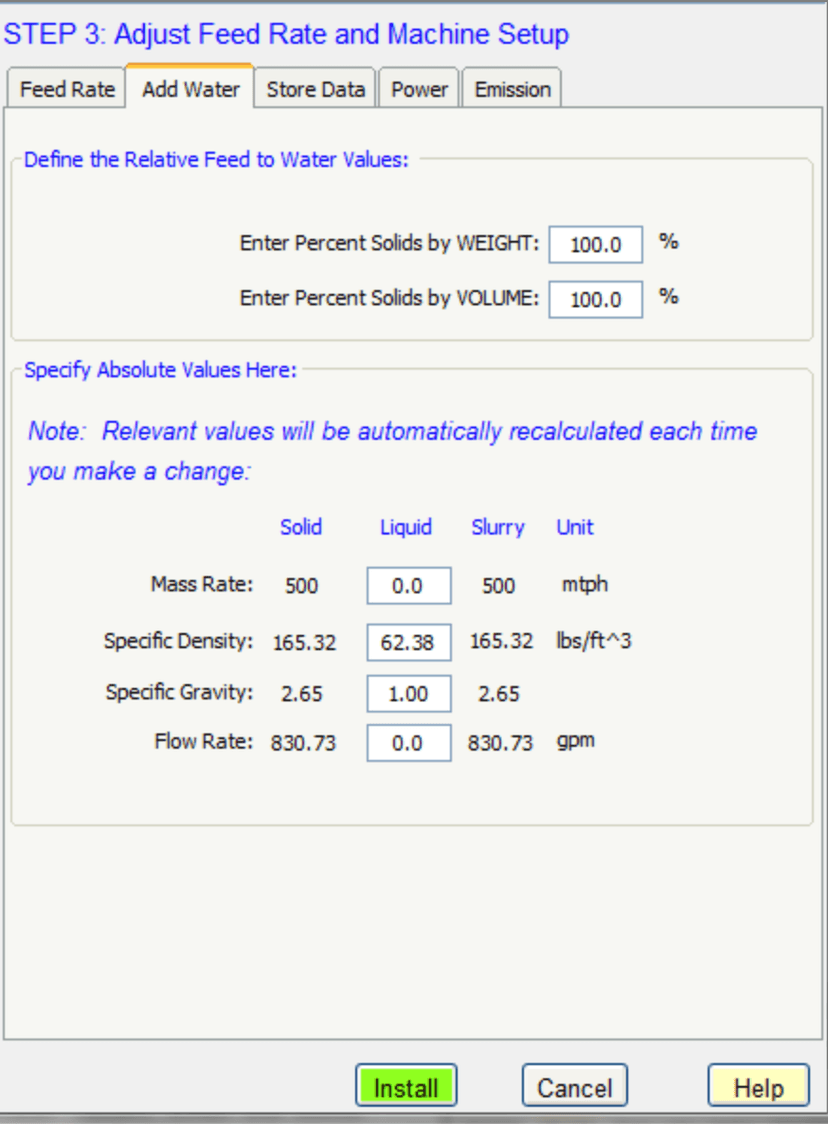
Add Water to the Feed Stream
-
Select the
Add Watertab in Step 3 of the Adjust Setup window. -
Define the Relative Feed to Water Values. Enter the Solids by Weight or Volume figures.
-
Specify the Absolute Values:
- Mass Rate
- Specific Density
- Specific Gravity
- Flow Rate
-
Install the Water Rate
Important! The Add Water values are relative to each other. Changes a setting will automatically affect and recalculate the other values.