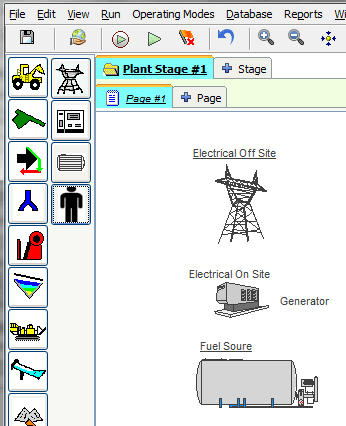
Power Equipment
AggFlow DM will track the power sources and uses for each piece of equipment in the plant and for the entire plant. Power sources and uses are defined by the user.
Power equipment items include Outside Power, Internal Power (generator), fuel tank and personnel. Poser usage can be tracked by setting the power for each piece of equipment in the worksheet and selecting the source of the power. Fuel usage is tracked by setting the fuel consumption rates for the equipment including any generators and installing a fuel tank.
Tracking Power is useful for everyday operating information, for reporting and for a complete understanding of what the plant is actually doing.
Power Usage is available for every machine and worksheet item inAggFlow DM. The Power and Emissions tabs are always located together in the adjust setup page for the selected item.
Track Machine Power
- Select the machine or worksheet item.
- Right-Click and select
Adjust Setup. - Select the
POWERtab, selectAdd New Item to the Tableto add power consumption, and enter the required information for that machine. - Power sources include Electrical Offsite (Grid), Electrical on site (generator) or Direct Engine (uses fuel)
- More than one power consumption unit with power source can be added to equipment. AggFlow DM will include all power added to the equipment in the calculation.
Right-Click the Power Source and choose
Change Style/Color/Scale to select different drawing options.