Water Equipment
To employ water mass balance calculations simply add a fresh water source to the simulation, convert flow streams to slurry pipes and adjust the necessary equipment in the plant.
Important Notes about Water Mass Balance Calculations
- AggFlow water calculations work in the opposite direction of aggregate calculations:
- In aggregate calculations the initial feed determines the total mass of material flowing through the plant.
- In water calculations the required water for each piece of equipment is communicated back to the source. The water mass balance is calculated from the water requirement and water makeup rate drawn from the source.
- The purpose of water equipment in the simulation is to calculate the total water mass balance and to track the overall flow of water through the plant.
- AggFlow does not perform pump or pipe calculations. Use pumps to indicate their location and track power details.
Adding a Water source
Adding a clean water source is the first step in setting up water flow equipment and water mass balance calculations in the simulation.
Important Notes about Water Sources
- The difference between the inflow to the water source and the outflow from the water source is the makeup water rate for the plant.
- Makeup Water rate monitors are automatically attached to a water source.
- Add an In/Out Monitor to display the inflow and outflow rates of a water source.
- Only clean water pipes from a silt thickener tank or water pump can be connected to the water source.
- Use Water Treatment/Recycling (recover Water) to recapture clean water and send it back to the water source.
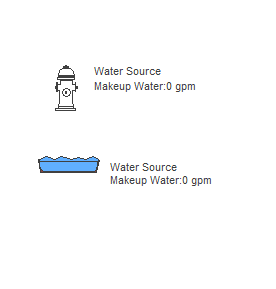
To Install a Fresh Water Source
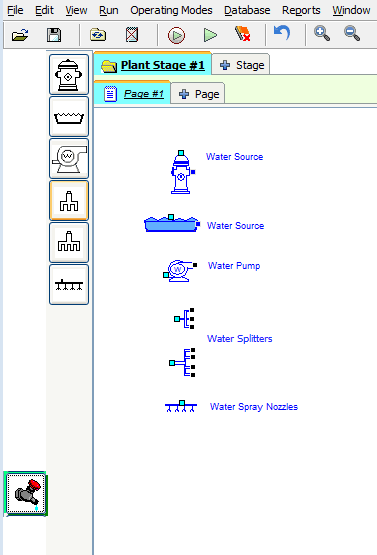
- Select the
Watercategory and place hydrant or pond on the worksheet. - Connect the water source to equipment as needed using water splitters and pumps as desired.
- Adjust all wash and water equipment as necessary to determine the required water for each.
- View the total water required, and the water make-up rate at the water source.
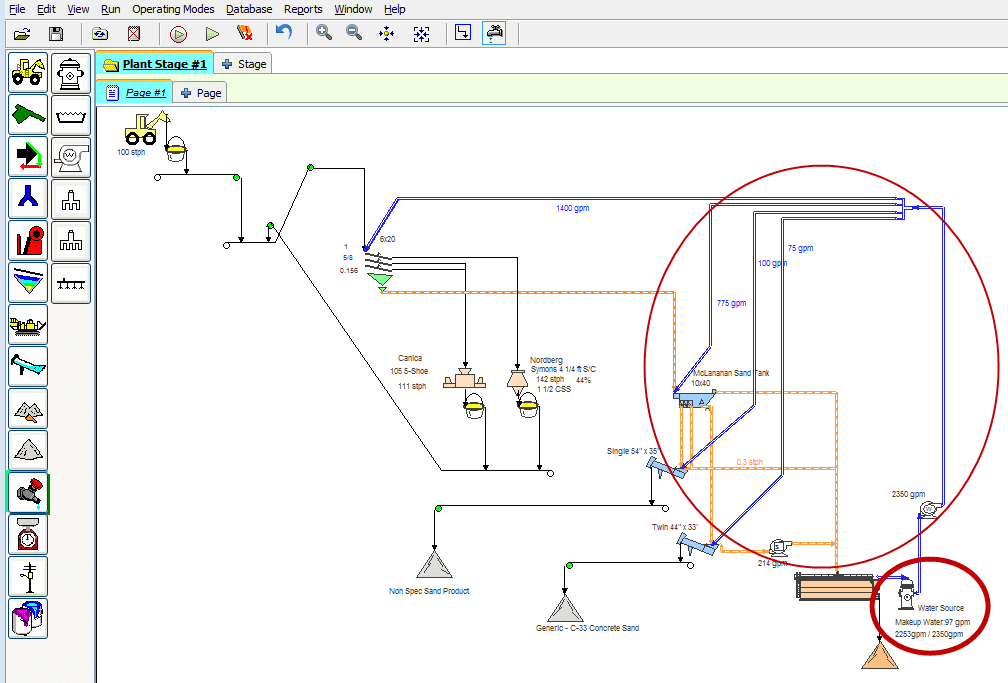
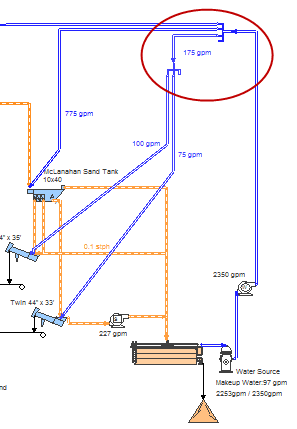
In water calculations the required water for each piece of equipment is communicated back to the source. The water mass balance is calculated from the water requirement and water makeup rate drawn from the source. Therefore water sources do not allow adjustment for the amount of water. Make the adjustments for the required water on each piece of equipment and see the total requirement at the water source. Use Monitors to show the water in flow streams on the worksheet.
Clean Water Pipes
Clean water pipes are represented by two solid lines. Use clean water pipes to flow water from a clean water source through the plant and return recaptured water from the plant to the source.
Important Notes about Clean Water Pipes
- Clean water pipes can only be connected from water sources to:
- Water pumps
- Water splitters
- Screens
- Wash equipment.
- Only water treatment/recycling equipment or pumps can return clean water to the water source.
- All water connections will automatically use the clean pipe image (two solid lines).
- Add a monitor to any pipe to see its flow rate.
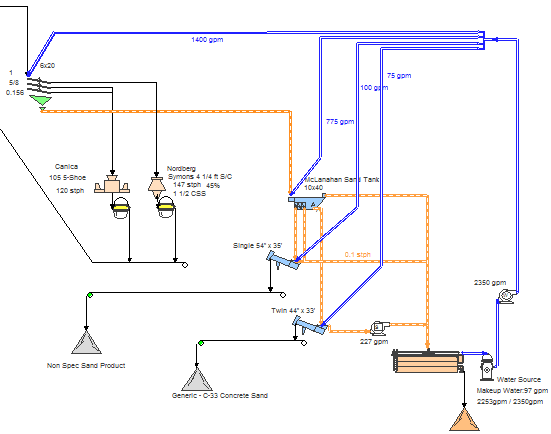
Water Splitters
Water Splitters are used to route and re-route clean water throughout the plant.
Important Notes about Water Splitters
- There is no limit to the number of water splitters that can be used.
- It is not necessary to connect all outputs of a water splitter.
- To rotate a water splitter right-click and choose
Rotatefrom the short-cut menu. - Water Splitters are square to differentiate them from material splitters which have angled splits.
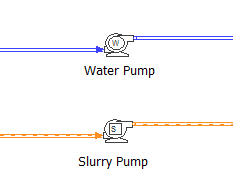
Water and Slurry Pumps
- Water and slurry pumps do not perform calculations.
- Use water and slurry pumps to:
- Display pump locations
- Track flow limits.
- Track Power details
Adjusting Pumps
- Select a pump (it will turn blue) then right-click and choose
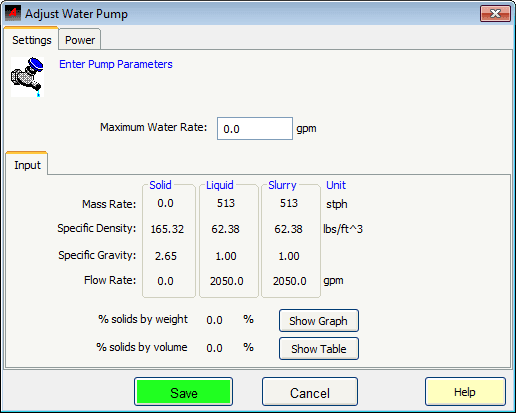
Adjust Setupfrom the short-cut menu. - Maximum Water Rate: Enter the maximum water rate for the pump. Once this limit is exceeded, the pump provides red flag warnings.
- Use the Power tab to record and track details of the machine.