Transport Equipment
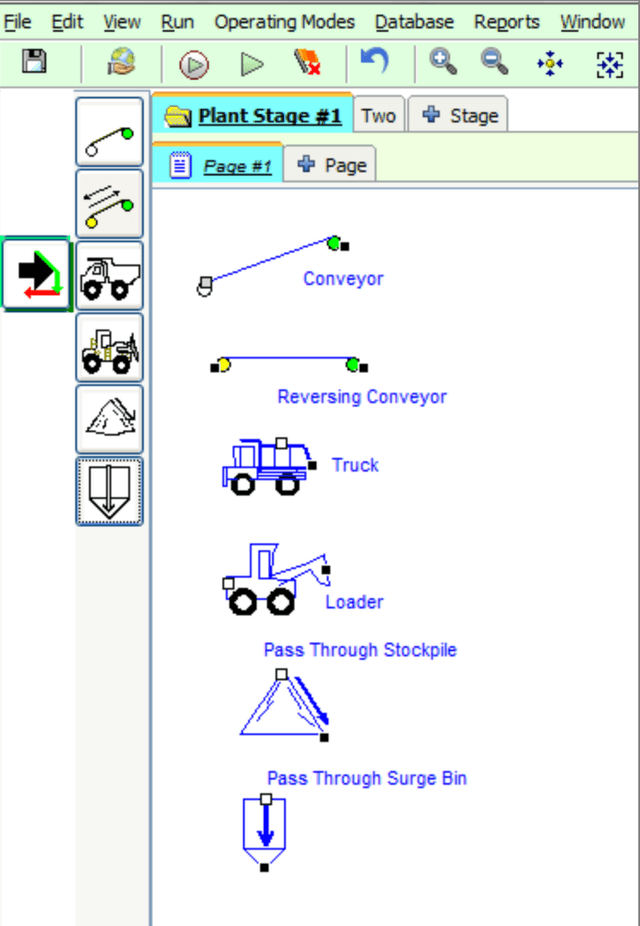
Transport equipment is used to represent movement of material within a plant stage from one location to another in the simulation. Items include conveyors, haul trucks and in-line stock piles and surge bins. Transport equipment can be used to link pages.
Only “Inventory Items” can link material from one stage to another stage.
Conveyors
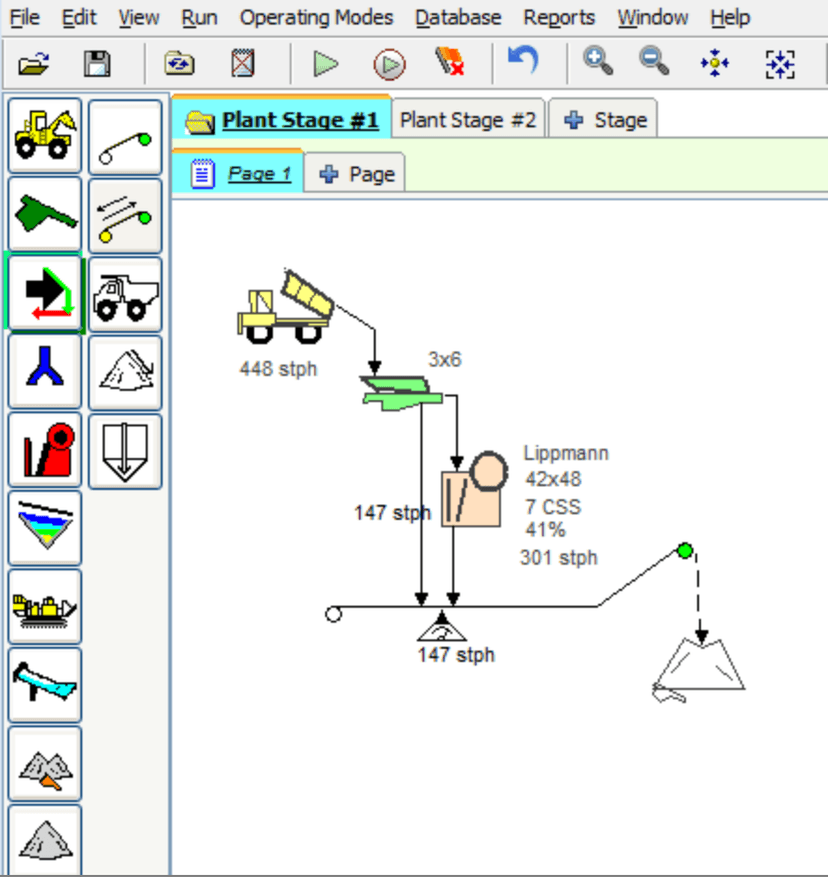
Use Conveyors to direct and monitor material flow on the worksheet and to link pages.
- Conveyors accept any number of flow stream inputs at any location along the conveyor. The green circle on the conveyor indicates the discharge (head pulley) with the output connection for the flow line to start.
- Add or remove bend points at desired locations (select and right click on the conveyor to add bends and hold the squares to adjust the conveyor.
- Place a belt scale on the conveyor to see the calculated amount of material at that point. Learn more: Belt Scales
- Right-click a conveyor and select
Adjust Setupto change operating parameters and calculations. - Reversible conveyors (designated by yellow tail pulley) work exactly the same as single direction conveyors. Reversible conveyors can discharge at each end and require both outputs connected to a flow stream.
- Change the direction of flow by selecting the conveyor and right clicking, then select
Reverse Direction
Adjusting Conveyor Setup
Right-click on the conveyor and select Adjust Setup to open the Conveyor Calculation window. AggFlow provides industry standard calculations which can be adjusted. As different operating parameters are changed the resulting values are displayed instantly.
- Width: Select specific conveyor widths.
- Idler Angle: Select specific idler angles for the conveyor.
- Speed: Adjust the conveyor belt speed.
- Planned Capacity: Indicate the planned capacity for the conveyor to calculate required power based on planned capacity. Calculated Capacity will be shown when the Conveyor calculation is opened.
- Lift: Enter the total elevation difference from the feed point start to the end of the conveyor.
- Length: Enter the total length of the conveyor.
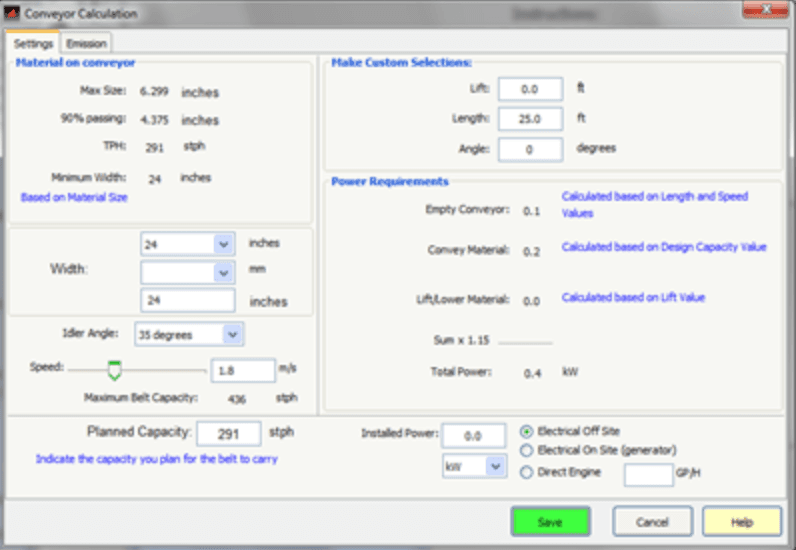
- Angle: Enter the angle for the conveyor. Note that Lift, length and angle will recalculate depending on the last entered value.
- Installed Power: Enter the installed power for the equipment. Installed power must equal or exceed required power. Depending on the power source, AggFlow can calculate the connected power when power equipment is installed in the stage.
Conveyors are used to link pages in a multi-page stage (large operating stage spread over several pages). To link pages, right-click the conveyor and select Link to from the short-cut menu.
Adding Field Data
Field Data (Belt Cut gradations) can be added as information to conveyors. Select the conveyor and right click to select Add Field Data. A pail will appear with the conveyor, select this and Enter Measured Data. This information is for reference purposes and cannot be used in the simulation. Add a Sample bucket in the flow stream to use field data in the simulation.
Haul Trucks, Stock Piles and Surge Bins
Haul Trucks, Stock Piles and Surge Bins act similar to Inline Wash Equipment in that they will not affect material flow - whatever material enters the machine passes through it.
Use these machines to simulate material flow in the diagram and to set warning rates for the amount of material.
To Install Transport Equipment
- Select the
Transportcategory. - Select a machine and place it on the worksheet (it will turn blue).
- Right-click and select
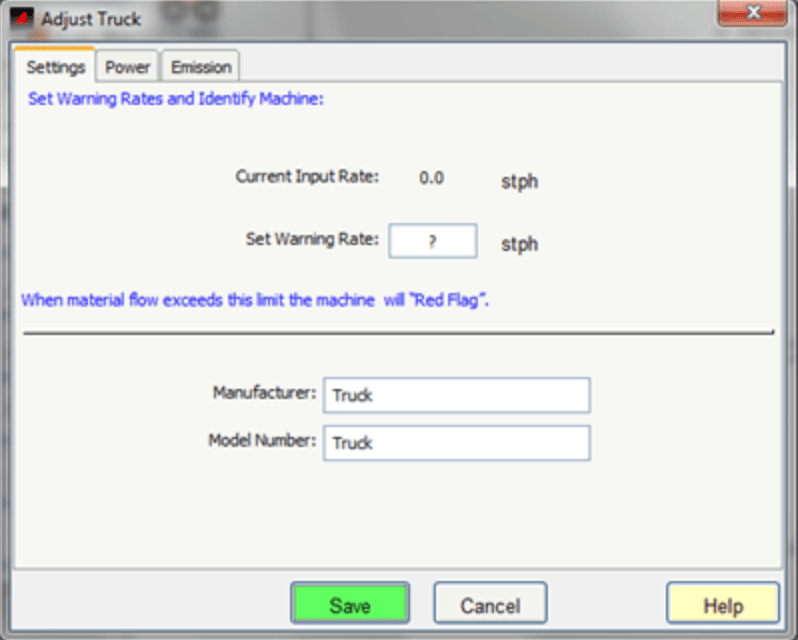
Adjust Setupfrom the short-cut menu. - Set the Warning Rate, identify the make/model of the machine and track Power and Emission attributes.