Notes, Coloring and Drawing Tools
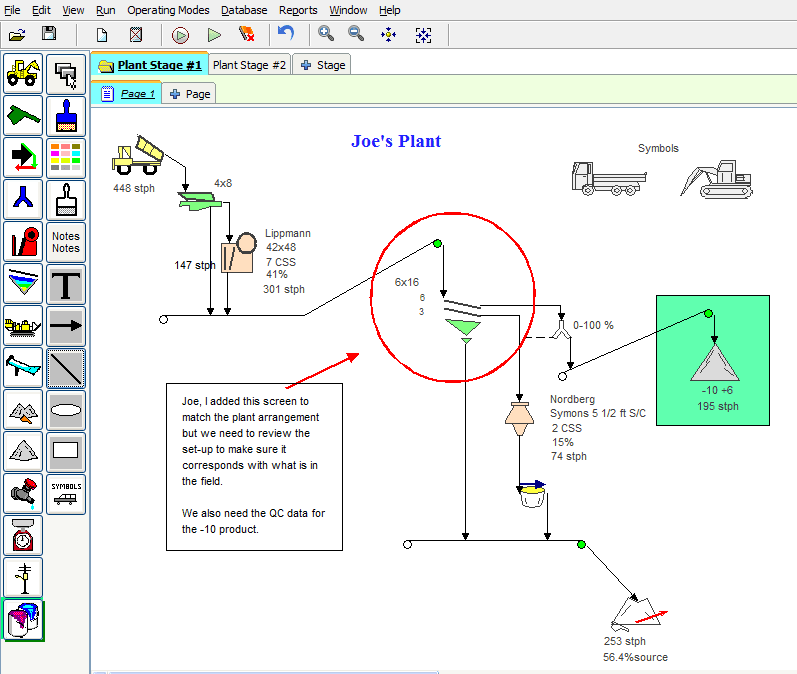
Customize the plant layout by adding notes, coloring and drawing arrows, boxes and circles to highlight specific items or entire sections of the worksheet.
Use these tools to:
- Define or highlight specific areas, pieces of equipment, and flow streams in the plant.
- Add Titles to the worksheet and make notes or comments.
- Add “symbols” to display auxiliary equipment in the plant.
- Paint flow streams and sections of a plant layout
- Define areas in a report or plant diagram for printing.
To Use Notes, Coloring, and Drawing Tools
- Select the
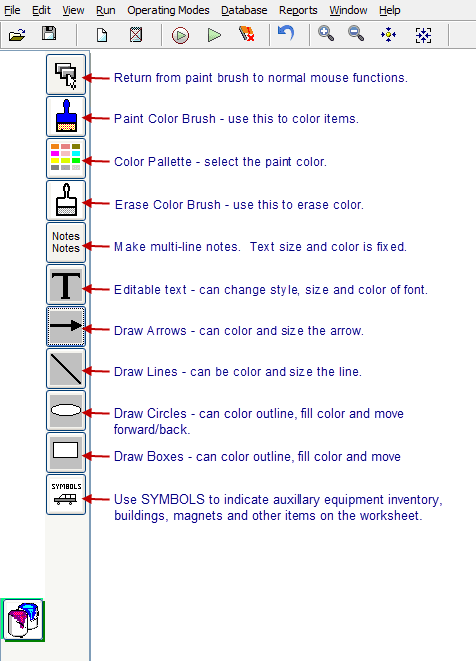
Notes and Paintcategory. - Select the action to take.
- Paint, draw or make notes as desired. For painting:
- Select the paint brush (the mouse will turn into a paint brush).
- Select the color to be used from the color palette.
- Hover over the item and left-click it to color it.
- Use the clear paintbrush to remove color.
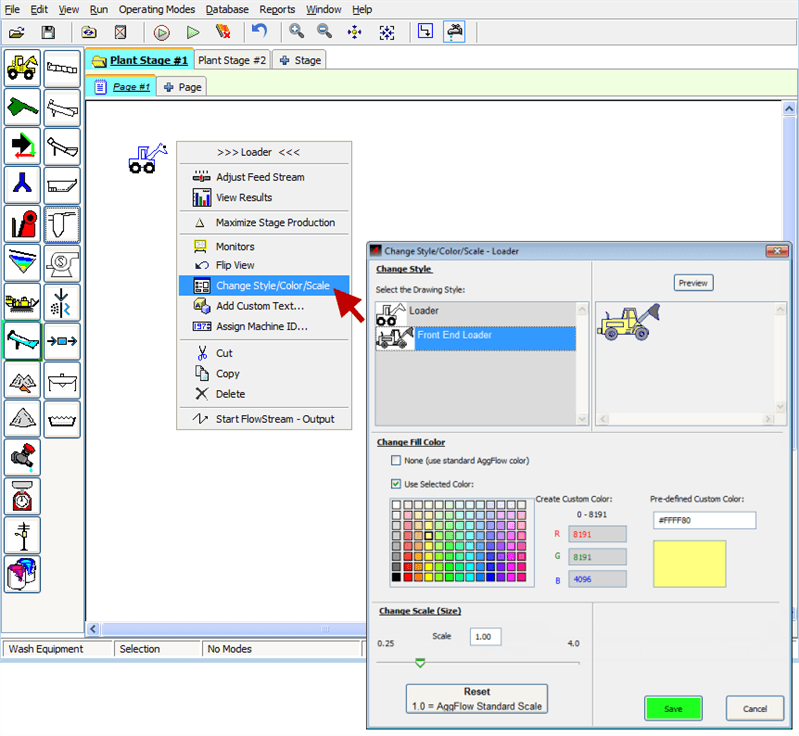
To change style, scale and color of the machine icons: Select the machine and right-click, then choose Change Style/Scale/Color from the short-cut menu.
Change Equipment Style, Color and Scale
Customize the equipment drawings on the worksheet by changing the Style (type of drawing), Color and Scale. This can be done with every machine in AggFlow DM.
- Select the item (it will turn blue).
- Right-click and select
Change Style/Color/Scalefrom the short-cut menu. - Make and save the adjustments as desired.